
Advanced video cuts detection
Own Cut-it? Log in to get 30% off.
Overview
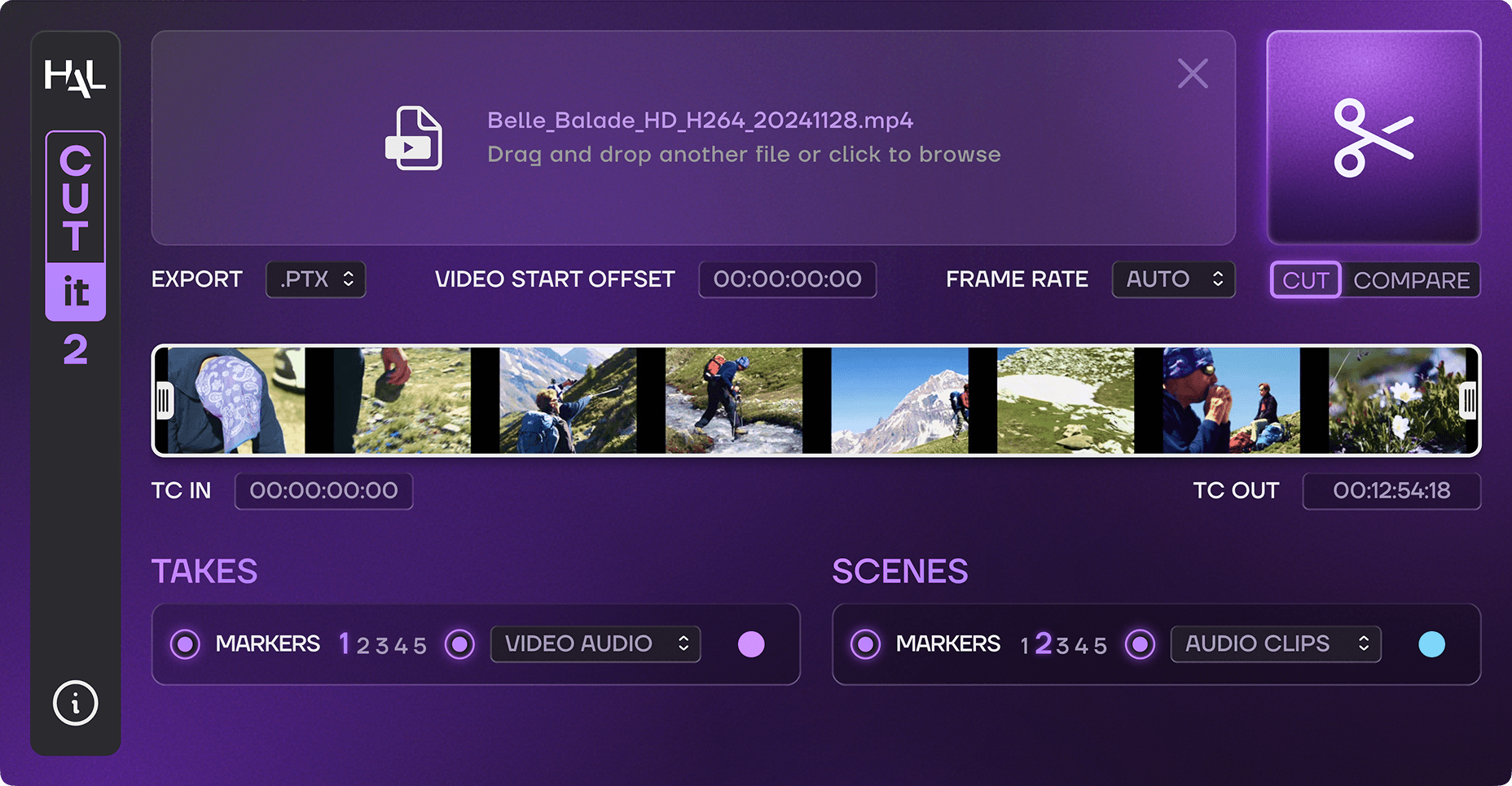
CUT-IT 2 is an app for post-production professionals who need to detect cuts and synchronize audio automatically.
Import a video file or EDL, and CUT-IT 2 instantly detects all the cuts in your film. It can read Scene and Take burn-in data from the picture to create dedicated Cut Tracks and Pro Tools markers.
CUT-IT 2 adds a heavily requested feature : synchronizing production sound to the edit. CUT-IT 2 will search your dailies folder and build a session with mixed or Iso tracks perfectly in sync with the picture.
Working with different versions of a film? CUT-IT 2’s Compare mode lets you load 2 edits to instantly visualize what has changed, using color coding to indicate the types of modifications.
Spend less time preparing and more time cutting sound to picture.
How CUT-IT 2 works
DETECT CUTS
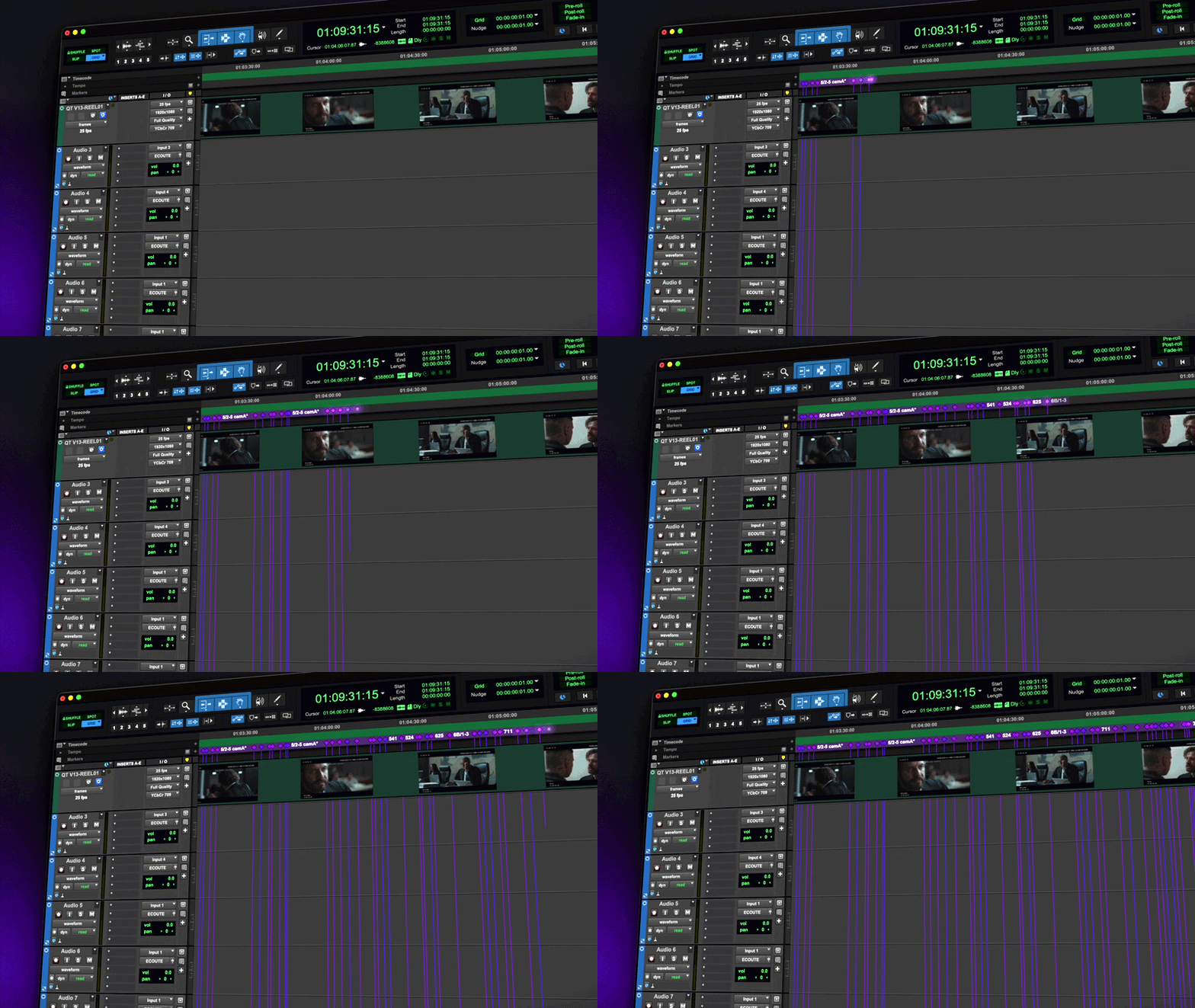
Drag and drop a video file or EDL into CUT-IT 2 and it will identify every cut.
If burn-in data is available, Scene and Take names will be detected and production sound can be synchronized to the edit.
CUSTOMIZE YOUR SESSION
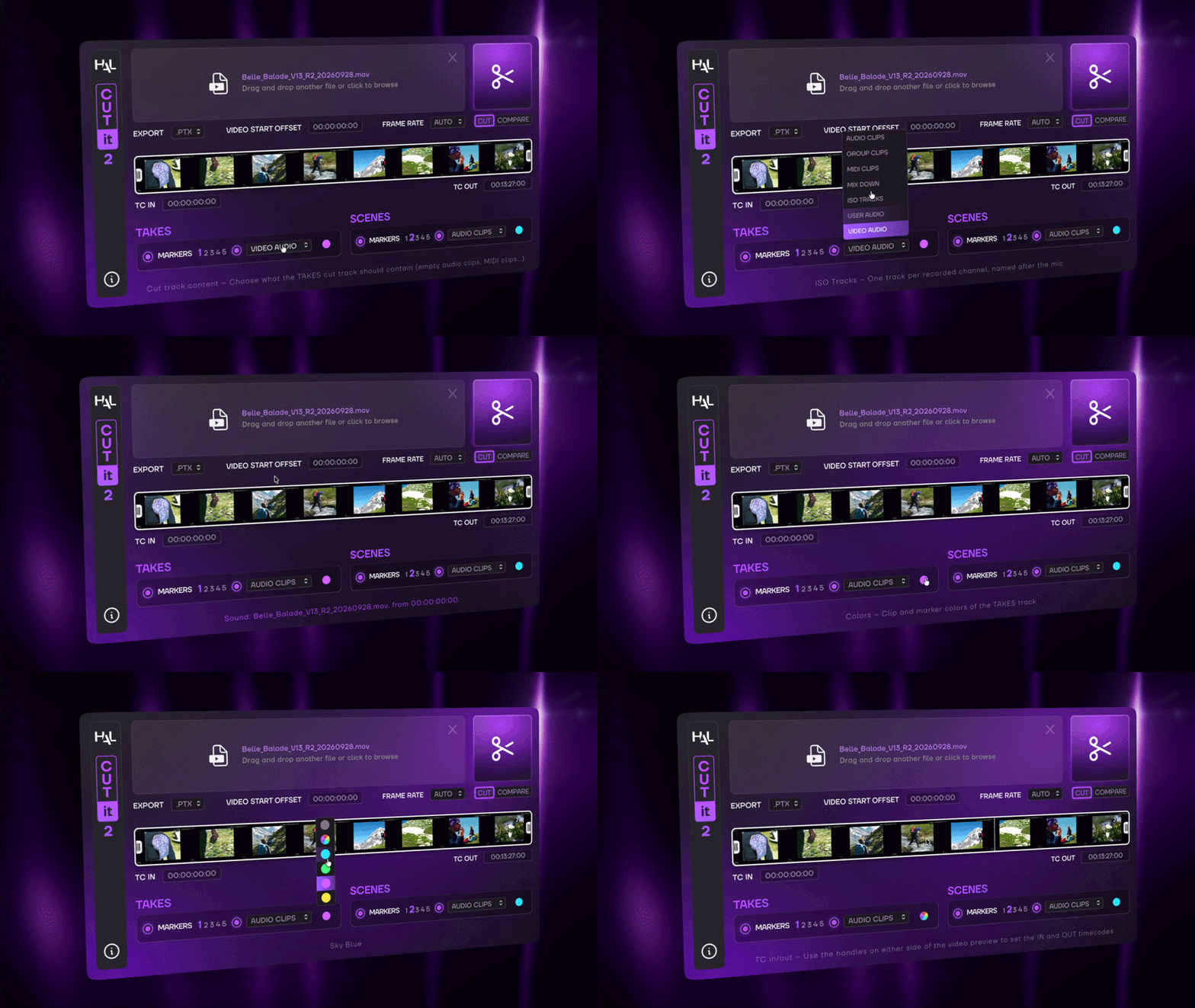
Generate an AAF or Pro Tools PTX session and let CUT-IT 2 automatically find the video start offset or set it yourself.
For both Takes and Scenes, you have the option to create dedicated Cut and Marker Tracks (in one of the 5 available marker tracks in Pro Tools) with custom colors.
Cut Tracks can contain empty audio files, group clips, MIDI clips, video audio or syncronized audio.
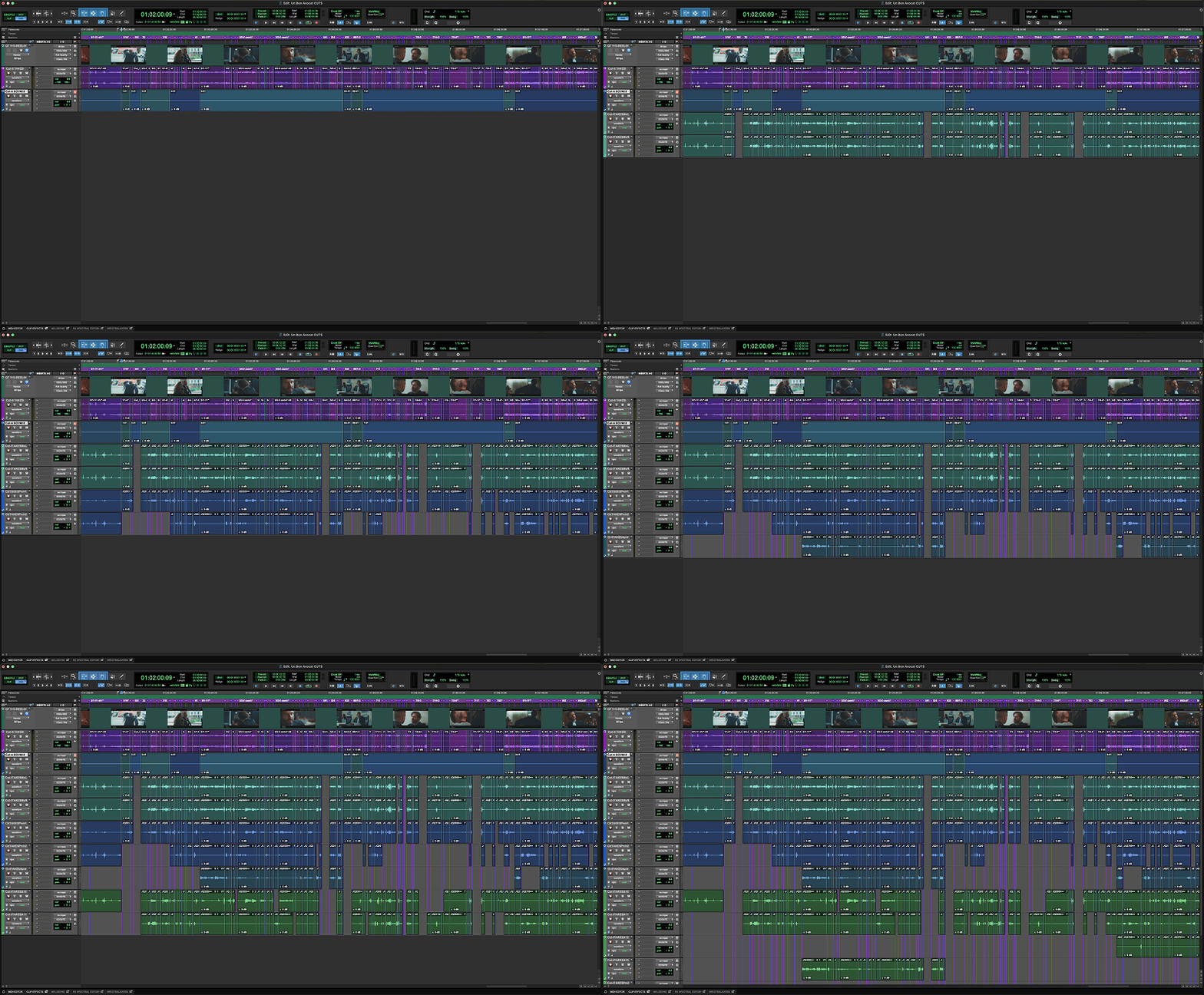
SYNCHRONIZE PRODUCTION SOUND
By analyzing burn-in data directly in the video file or information in the EDL, CUT-IT 2 generates a fully synchronized Pro Tools session.
Choose wether you want to work with the Mixdowns or Iso Tracks. Each shot will be matched with its original audio, so you can start editing with a clean slate!
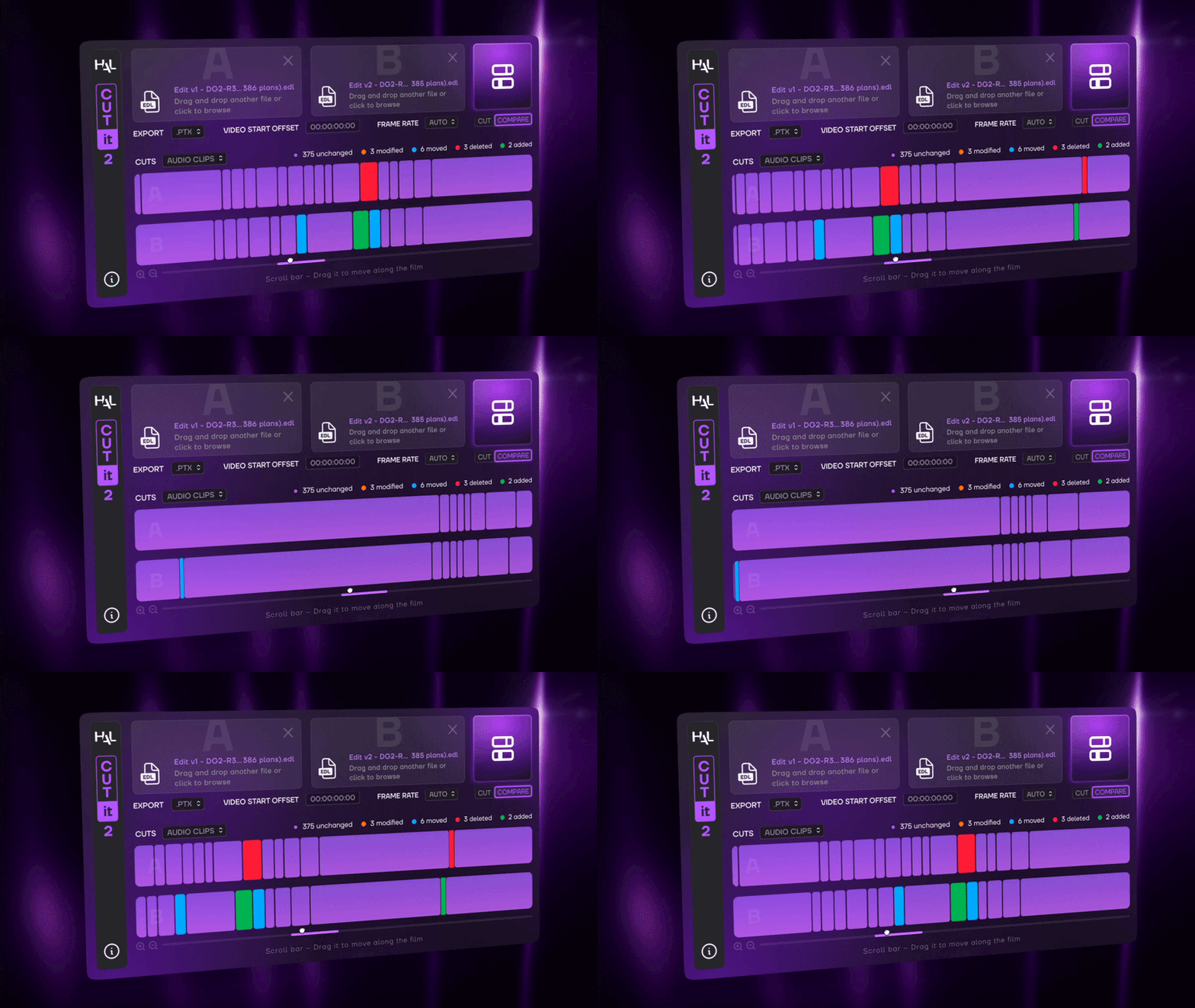
COMPARE EDITS
Need to check what changed between 2 picture versions?
Load 2 videos or EDLs and CUT-IT 2 will analyze every difference that matters so you can adapt your sound edit as efficiently as possible.
CUT-IT 2’s Compare Mode creates 2 Cut Tracks and color codes modified, moved, deleted and added shots.
In Depth
The Assistant Editor’s Assistant
 CUT-IT 2 is a standalone application for macOS and Windows.
Size : 514 MB (Apple Silicon), 638 (Intel), 480 MB (Windows).
CUT-IT 2 requires a free iLok account. What is iLok?
What is iLok?
All HAL Audio plug-ins and software use iLok for copy protection.
iLok is a fast and free third-party license management system that allow users to store their product activations on an iLok dongle, iLok Cloud or on their computer.
To begin using your plug-in or software, simply activate your product license using the free iLok License Manager software that you can download on ilok.com. In iLok Licence Manager, go to Licences > Redeem Activation Code, and then enter your activation code. You can now start using you product!
macOS 13.0 or higher (Intel / Apple Silicon) (64-bit).
Windows 7 or higher (64-bit).
iLok 2 or higher (dongle, computer or cloud protection).