
Your creative ally to morph unique sounds
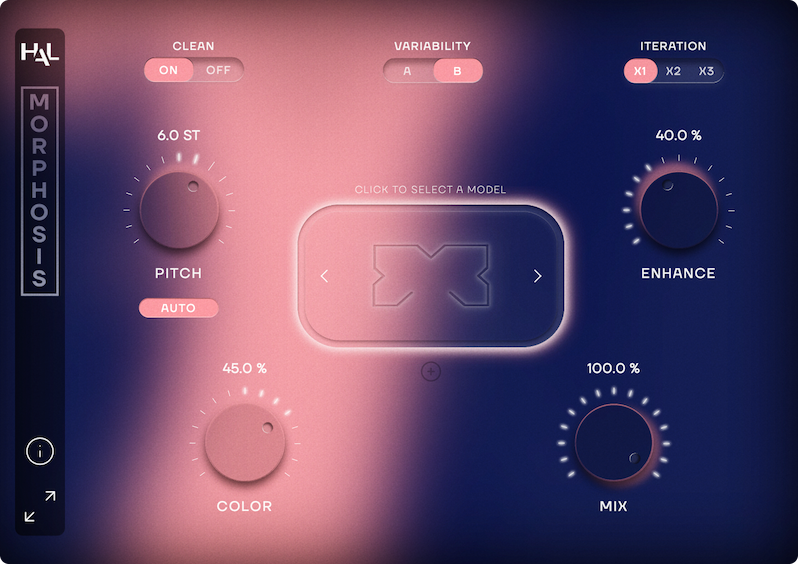

MORPHOSIS is a powerful neural timbre-matching tool designed for both audio professionals and creative explorers.
It applies the tonal qualities of one sound onto another — whether it’s a human voice, an instrument, or even a sound effect. With an ever-growing library of hundreds of models available directly in the software, MORPHOSIS makes it effortless to experiment, transform, and inspire.
Its neural engine operates locally and offline, ensuring consistent performance, full data security, and industry standard audio quality.
From turning a clarinet into a violin, a bird into a circular saw, or pizzicato strings into raindrops, MORPHOSIS unlocks endless sonic creative ideas — all while remaining fast and intuitive, with high sound quality.
Model Library
and timbre of the model
Instead of traditional synthesis or effects processing,
MORPHOSIS performs timbre matching: analyzing one sound and reshaping it with the tonal identity of another.
The result is a hybrid sound that preserves the rhythm, articulation, and expression of the input, while taking on the color and texture of the chosen model. This approach makes MORPHOSIS equally valuable for technical post-production tasks and playful sound design explorations.
Need to change a voice without altering the performance? MORPHOSIS handles it with precision and ease.
The library of hundreds of model packs, ranging from realistic voices and instruments to abstract textures and experimental sounds, ensures you to always have fresh material to explore. And since the library is updated regularly, MORPHOSIS grows with you.
Above all, MORPHOSIS is designed to be user-friendly, fast, and reliable, giving both seasoned professionals and creative newcomers a tool that sparks imagination without slowing down workflows.
MORPHOSIS redefines what’s possible with sound design.
Want to give an instrument a completely new identity, or create surreal transformations that surprise and inspire? MORPHOSIS makes it fun and immediate.
 MORPHOSIS is an AAX AudioSuite plug-in and standalone application for macOS. Windows version is coming soon.
Size : 917 MB (macOS ARM), 853 MB (macOS Intel)
MORPHOSIS requires a free iLok account. What is iLok?
What is iLok?
All HAL Audio plug-ins and software use iLok for copy protection.
iLok is a fast and free third-party license management system that allow users to store their product activations on an iLok dongle, iLok Cloud or on their computer.
To begin using your plug-in or software, simply activate your product license using the free iLok License Manager software that you can download on ilok.com. In iLok Licence Manager, go to Licences > Redeem Activation Code, and then enter your activation code. You can now start using you product!
macOS 10.16 or higher (Intel / Apple Silicon) (64-bit). We highly recommend an Apple Silicon processor for better performance.
Windows version is NOT available yet, but it’s coming soon!
iLok 2 or higher (dongle or cloud protection)
With Morphosis, in recent projects, I have been able to tackle sound design challenges that would have been nearly impossible to achieve so convincingly before.
Applying the timbre of one voice to another while preserving its prosody, obtaining the sound of an instrument simply by singing into a microphone…
The creative playground ahead looks incredibly inspiring!
Morphosis is the tool I’ve always dreamed of. It lets me add textures to sounds and create new harmonics without the result ever feeling synthetic.
From turning a tank or a Spitfire pass into a true war beast by morphing it with animal or wind textures, to adding screaming elements to explosions or metallic harmonics to creatures’ voices — it opens up an entirely new playground for sonic experimentation.